I built a standalone AI chatbot widget designed to integrate with my existing CMS as an optional module.
The goal was to keep the chatbot independent from the CMS so the same chatbot service can be used by different websites while keeping each site's knowledge isolated.
[View Live Demo] [View Source]
How I Built It
The chatbot is deployed separately from the CMS and is loaded into the website as an embeddable widget.
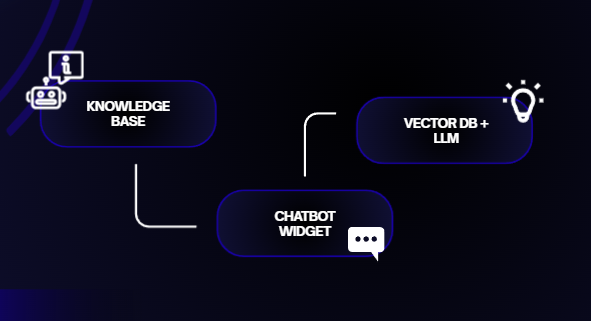
The CMS manages the chatbot module and its knowledge documents. When a document is uploaded, the chatbot service processes the content, breaks it into smaller chunks, generates embeddings, and stores them in a vector database.
When a visitor asks a question, the chatbot converts the question into an embedding and searches for relevant information from the site's knowledge base. The retrieved information is then provided to the LLM to generate the response.
This follows a Retrieval-Augmented Generation (RAG) approach, where external knowledge is retrieved before the LLM generates an answer.
Architecture
CMS → Knowledge Base → Chatbot Service → Vector Database → LLM → Chatbot Widget
Each website is associated with its own tenant, ensuring that the chatbot retrieves knowledge only from the appropriate knowledge base.
What I Learned
This project helped me understand how to:
Build an independently deployable JavaScript chatbot widget
Integrate an external service with an existing CMS
Design tenant-aware knowledge isolation
Process documents for AI retrieval
Work with embeddings and vector databases
Implement a basic RAG architecture
Separate content management from AI processing
Think about security when exposing AI services to external websites
The project also gave me a better understanding of how RAG systems connect document ingestion, vector search, retrieval, and LLM generation into a single workflow.